
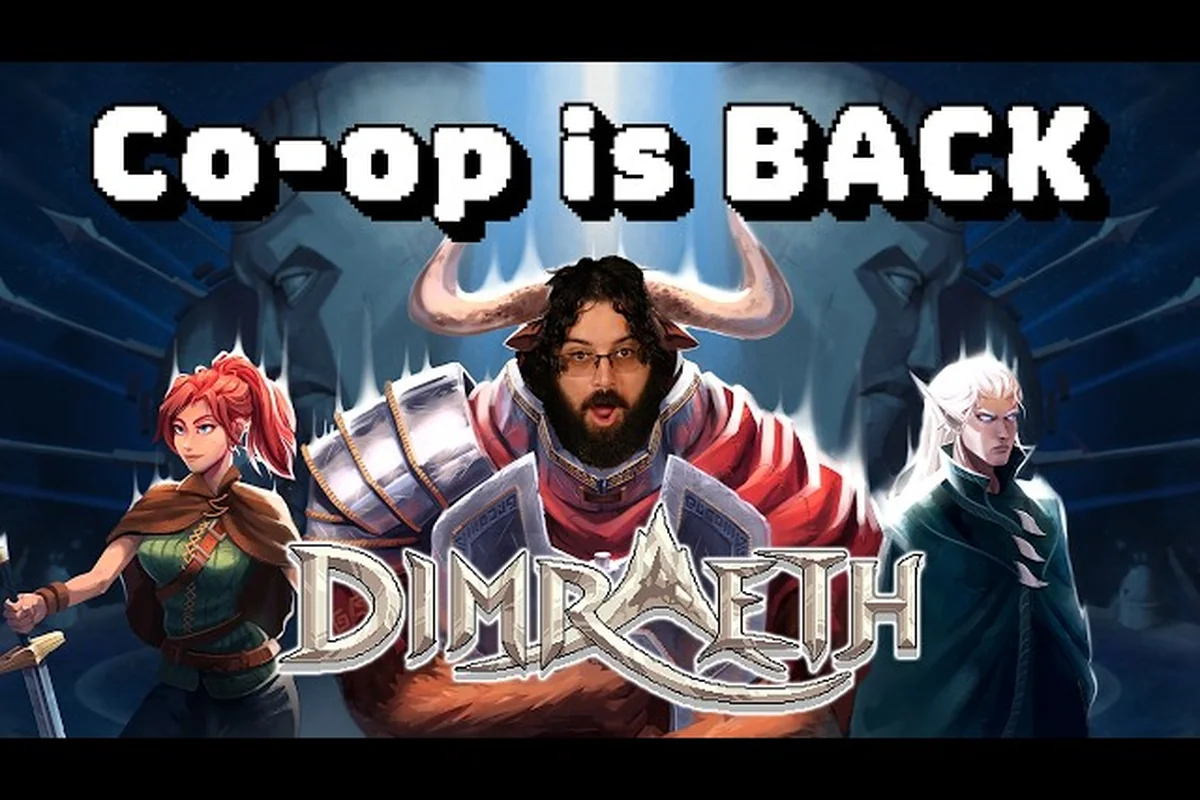
Dimraeth splits the world into two clean layers: the shared save that the host owns, and the personal profile that follows each player into any session. Knowing which layer a reward lands on is the difference between a host who can pick up where the party left off and a guest who keeps losing their best gear every time they hop lobbies. This Dimraeth co-op world hosting guide walks through exactly what stays in the host world, what travels with each player, and how to plan a party so nobody wastes a night of grinding.
How Dimraeth Co-op World Hosting Splits Save Data
Dimraeth co-op world hosting is built around a single rule: the host's world is the canonical save, and every guest brings their own profile. According to the official Steam page, your personal progress — the level, gear, bag contents, and spells you accumulate — moves with you into other sessions, while the story flags, the allies you recruited, and the buildings you constructed stay bound to the world they belong to. That single sentence decides most of the questions players ask before launching a session.
What Stays in the Host's World (Shared Layer)
The host's world holds the campaign state. Any story beat, boss kill, or story-gated door is a world-level flag, which means a guest cannot trigger the next chapter by playing offline and then joining. The same applies to base structures placed in the host's stronghold, every recruited ally sitting at the hub, and any faction reputation that is unlocked through story dialogue. If the host migrates the world, the new host inherits all of that.
| Shared Save Element | Travel With Player? | Notes |
|---|---|---|
| Story / Act progress | No — host world only | Resets when a guest returns to their own world |
| Recruited allies (Manga, Eldorian, Tamsin, Myrll, Befr) | No — host world only | Stored under the host's recruitment flags |
| Stronghold buildings, decor, farms | No — host world only | Host can grant build permission, not ownership |
| Story-locked chests / quest items | No — host world only | Re-openable each time the host's world is loaded |
| Crafting stations and refineries | No — host world only | Everyone can use them while in the host's session |
What Travels With Each Player (Personal Layer)
Every guest keeps their own character sheet, equipment loadout, spellbook, and inventory. According to the Dimraeth on Steam page, your archetype tree and attribute scaling are personal, so a guest who hits level 18 on the host's world still has a level 18 character on their own save. This is the part of the Dimraeth friend progression guide that matters most: friends can rotate through each other's worlds without ever losing their build.
| Personal Layer Element | Saved Per Player? | Notes |
|---|---|---|
| Character level and XP | Yes | Travels between every world you join |
| Equipment, weapons, armor | Yes | Bind-on-pickup gear still leaves with the player |
| Spellbook and unlocked spells | Yes | Your five combat slots travel as configured |
| Inventory, reagents, potions | Yes | Anything in your bags leaves with you |
| Class skill tree and archetype points | Yes | Mirrored exactly on every host you visit |
| Personal quest progress (deeds) | Partial | Most deeds are personal; some story-tied deeds reset |
Guest Hours and Host-Save Planning
Because the level cap sits at 25 during Early Access, every guest hour is precious. The official Dimraeth website confirms the September 15, 2026 EA launch runs at 1-8 player co-op, which means a typical weekend session is eight players on one host's world, and each of those eight players keeps whatever they personally earned. When planning a Dimraeth co-op world hosting rotation, treat the host's world as the campaign sandbox and your own save as the build you take home.
Dimraeth Story Progression Co-op: Who Can Push the Plot
Story progression in Dimraeth co-op is host-driven. The host's world has the campaign flags, so the host is the one who advances the main quest, opens the next story dungeon, and recruits the story-gated allies like Manga, Tamsin, and Myrll. Guests who are reading along but hosting a different save will see the same cutscenes when they visit, but they cannot push their own story forward by joining a friend's world.
How Story Flags Trigger for Everyone in the Session
When the host activates a story flag, every player in the session sees the same world state in real time. Doors unlock, NPCs change dialogue, and the next story region becomes accessible. The official Discord channels confirm that quests and dialogue are world-instance events, so two guests on the same host's world always see the same cutscene at the same time. This is also why a Dimraeth solo play guide is shorter than the co-op equivalent — solo players trigger every flag themselves and never have to wait on a host.
What Happens When a Guest Hosts Their Own World
A guest who returns to their own world will find their story still parked wherever they left it. The host's progress does not bleed across. If guest A joins host B and they both clear the Hollowfang Stag together, only host B's world records the kill. Guest A still has to clear the Stag in their own world to unlock the next beat on their personal save. The official Steam page frames this as the whole point of cross-world progression, so do not expect a shared campaign across multiple hosts.
| Scenario | Whose Story Moves? | What the Other Player Gets |
|---|---|---|
| Guest joins host, both clear Act 1 boss | Host advances; guest does not | Guest keeps personal XP, gear, and the cleared deed counter |
| Host migrates world to a new host | New host inherits all story flags | Guests keep personal layers, no story impact |
| Guest hosts a separate world later | Guest's story now moves under their own control | They rebuild campaign state from their own flags |
| Co-op party wipes on story boss | World flag does not advance | Personal XP and gear still apply to each guest |
Planning Story Progression Around a Host Rotation
The cleanest way to coordinate Dimraeth story progression co-op is to nominate one main host per Act. Friends rotate as guests through the main host's world to clear story content, then take turns hosting side content, deeds, and farming sessions. The drop-in drop-out co-op flow documented on the Dimraeth multiplayer guide works perfectly with this model because the host's session keeps running even when a guest logs out and back in.
Dimraeth Player Progression Travels: Build, Gear, and Spells
The personal layer is where Dimraeth player progression travels most freely. Every stat, every equipped item, and every spell you have unlocked follows your account into any host's world. The official store page calls this out explicitly: archetype trees and attribute scaling are personal, which means a guest can join a friend's world with the exact same build they would run solo.
Archetype Trees and Class Identity on the Road
The six launch classes — Brawler, Magician, Shadow, and the three others gated behind the class unlock list — each have an archetype tree that is fully personal. According to the Dimraeth on Steam listing, a Minotaur Mage running the Earthshaker archetype can spread fire to proc Burning passives while a Human Mage on the Elemental Ranger archetype turns the same fire into single-target nukes. Both of those builds are personal to each player, so neither one is overwritten by the host's world.
Equipment, Bind-on-Pickup, and Reagents
Inventory is the part of the Dimraeth friend progression guide that trips up the most players. Bind-on-pickup loot, reagents, potions, and crafted gear all live in the personal layer, so a guest who picks up a rare staff on the host's world walks away with that staff. The exception is anything stored in the host's stronghold chests, which is technically still in the host's world, not in any guest's inventory. Treat host chests as shared storage; treat your bags as private.
Spellbook and the Five-Slot Combat Layer
Your spellbook is also personal, including the five combat slots you bring into any fight. Because spells scale off your personal attribute pool, the same spell on two guests can feel very different — a fireball from a Magician with high Intellect hits harder than the same fireball from a Shadow trying it as a hybrid. The Dimraeth best class co-op breakdown walks through how each class tunes those five slots for co-op specifically, but the core rule is that your spellbook config travels with you and never changes because you joined someone else's session.
Dimraeth Multiplayer Features and Party Builds for Host Worlds
Once the split between host world and personal layer is clear, the next question is how to assemble Dimraeth party builds that work inside a host's world without stepping on each other's progression. The best parties in Dimraeth co-op world hosting are the ones where each guest owns a personal identity, the host owns the campaign, and the group covers the role triangle without anyone doubling up.
Reading the Host's World Before You Join
Before joining a host, take sixty seconds to read the lobby title and the host's note. Most hosts tag their session with the Act number, the current story boss, and whether the session is a "story push" or a "farm night." This tells you whether to bring your fresh level 1 alt or your maxed main. The Dimraeth co-op party guide suggests filtering lobbies by region and difficulty so you do not spend twenty minutes flying to a host only to find out they are still on Act 1.
Building a Party Around the Role Triangle
A four-person party that handles a story dungeon cleanly usually splits into one tank, two damage dealers, and one support. Because the host's world keeps the campaign state, the host can be any role — they are not forced to tank. The official Discord and community testing both confirm that role balance matters more than who is hosting. The Dimraeth best class co-op guide covers the class-level details, but at the party level, you want at least one of each role and never three squishies in the same lobby for a story push.
Dimraeth Party Builds for 1-8 Player Scaling
Dimraeth scales from one to eight players, and the party builds change shape as the lobby grows. Solo and 1-2 player parties need self-sufficient builds that can both deal damage and survive a stun. Three to four player parties can start running classic role triangle comps. Five to eight player parties tend to specialize harder — two tanks, three damage dealers, two supports — because the extra bodies let you soak mechanics and stack buffs that would be wasted in smaller lobbies.
| Party Size | Tank Coverage | Damage Coverage | Support Coverage | Notes |
|---|---|---|---|---|
| Solo | 1 (self) | 1 (self) | 0-1 (hybrid) | Bring staminas and self-heals |
| 2 players | 1 | 1 | 0 | Both players run hybrid kits |
| 3-4 players | 1 | 2 | 0-1 | First slot to bring a real healer |
| 5-6 players | 1-2 | 2-3 | 1 | Specialize: one pure AoE, one single-target |
| 7-8 players | 2 | 3-4 | 1-2 | Stack buff bots, run two support builds |
Hosting Etiquette, Migration, and Long-Term Co-op Worlds
The last layer of Dimraeth co-op world hosting is the social layer. A host who is running a long-term world has a small set of habits that keep the campaign healthy: rotating host duties, granting build permissions, communicating when the world is going dormant, and migrating the world cleanly when needed.
When to Migrate the Host's World
Migration is a real mechanic in Dimraeth. The Steam page confirms that campaign progress, recruited companions, and constructed buildings are world-bound, which means when a host migrates their world, all of that carries over to the new host. The right time to migrate is when the original host is going offline for a stretch but the campaign needs to keep moving. The new host inherits the world exactly as it was, and guests keep their personal layers. There is no "campaign split" penalty for doing this, but there is also no merging, so the group should pick one canonical host per Act.
Granting Build Permission and Shared Storage
Build permission is the host's strongest tool. According to the base-building documentation linked from the Dimraeth best base location guide, hosts can grant co-builders the right to place and upgrade structures in the stronghold. The shared storage chest is the second tool: any item the host places in a stronghold chest becomes available to every guest in the session. Use this for community reagents, repair materials, and spare gear, but never treat stronghold chests as a substitute for your own personal inventory, because they are world-tied and will not travel with you if the host migrates.
Avoiding the Most Common Hosting Mistakes
Community testing on the official Discord points to four mistakes that break Dimraeth co-op world hosting more than anything else. First, guests who expect story progress to bleed across multiple hosts end up replaying content. Second, guests who store personal loot in host chests lose it on migration. Third, hosts who refuse to grant build permission slow the entire party down on base projects. Fourth, parties that skip role balance end up wiping on story bosses and burning the host's story flag attempts.
| Common Mistake | Why It Hurts the Party | Better Habit |
|---|---|---|
| Expecting cross-host story sharing | Replays entire Acts | Pick one canonical host per Act |
| Storing personal loot in host chests | Loses items on migration | Keep personal loot in personal bags |
| Refusing build permission | Slows base progression | Grant co-builder rights to regular guests |
| Skipping role balance | Wipes on story bosses | Run at least one of each role |
| Hosting without a lobby note | Random guests join the wrong phase | Tag Act, story boss, and session type |
Advanced Strategies: Late-Game Hosting and the Story Push
Once a host's world is deep into the campaign, Dimraeth co-op world hosting shifts from "play together" to "run the endgame cleanly." Story bosses at this point are tuned for full parties, and the host's world flags decide what the entire group can do next. A few advanced habits make these late sessions feel much smoother.
Pre-Boss Checklist for the Host
Before any late-game story push, the host should empty their personal bag of clutter, stock up on the best potions the party can brew, and confirm every guest has their personal loadout ready. The Dimraeth world boss guide walks through the pre-fight prep for each major encounter, and most of it is the host's responsibility because the boss lives in the host's world. If a guest is missing a key consumable, the host can share via a stronghold chest, but the cleanest runs always start with every guest already prepared.
Dimraeth Story Progression Co-op Beyond Act 1
By the time a host's world is past Act 1, the Dimraeth story progression co-op loop has stabilized: the host is the campaign engine, guests are the build carriers. The role triangle is locked, base progression is shared through the stronghold, and personal layers are the only thing that follows each player. This is also the point where the Dimraeth solo play guide and the co-op guide start to diverge sharply, because solo players carry both layers themselves while co-op players split them across the group.
Frequently Asked Questions
Does story progress save to my character in Dimraeth co-op world hosting?
No. According to the official Steam page, campaign flags stay bound to the host's world. Your personal level, gear, spells, and inventory still follow you, but the story flags, the allies you recruited, and the stronghold buildings remain on whichever world earned them.
What exactly travels with my player in Dimraeth co-op?
Your character level, archetype tree, attribute scaling, equipment, inventory, reagents, and spellbook config are all personal. You can join any host's world with the exact build you ran solo, and the host cannot edit or take your personal layer. The host's stronghold chests are the only shared storage, and even those are world-tied, not personal.
Can I be the host for my friends if they have already played on someone else's world?
Yes. You host a fresh world with your own story flags, and your friends join with their personal builds. They keep every level, every spell, and every piece of gear from previous sessions. The campaign just starts at Act 1 in your world, which is one of the cleanest Dimraeth multiplayer features because it lets late-game players help new hosts without losing their own progress.
What happens to the host's world if they stop playing for a week?
The world persists. Dimraeth co-op world hosting stores the world on the host's save, so nothing decays if the host is offline. When the host returns, every recruited ally, story flag, and stronghold building is exactly where they left it. If the group decides to migrate, the new host inherits the entire world state and guests keep their personal layers intact.
How do I build the best Dimraeth party builds for co-op?
Aim for the role triangle: one tank, two damage dealers, and one support in a four-person lobby, then scale up the same shape for five to eight players. Dimraeth party builds work best when each player owns a personal identity, so the host should not double as a heal bot, and guests should not all run the same squishy damage class on a story push.